
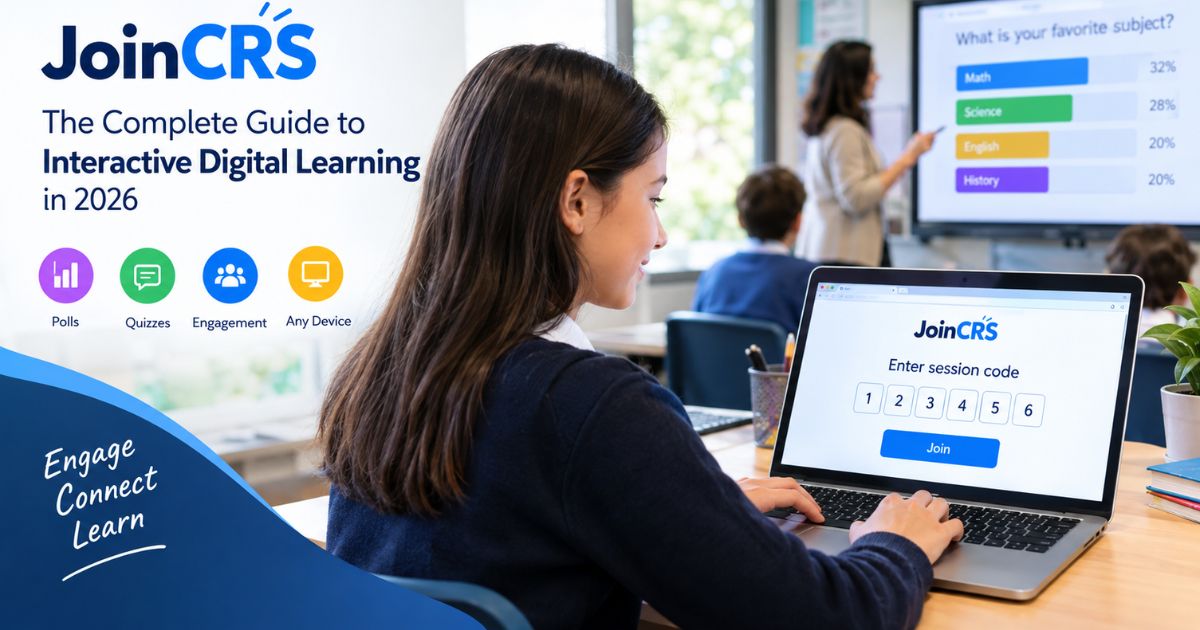
JoinCRS.com: The Complete Guide to Interactive Digital Learning in 2026
If you’ve landed on this page because a teacher gave you a code for “joincrs.com,” or because you spotted the domain somewhere and wondered what it actually is, here’s the short version: joincrs.com is described online as a student-facing access point for Classroomscreen, a real classroom display tool used by teachers. Students are said to visit the site, enter a short code, and land directly inside a live lesson activity with no account required.
That’s the claim. What we couldn’t confirm, after checking Classroomscreen’s own official help documentation, is that this specific domain is actually operated by or affiliated with Classroomscreen at all.
So this guide does two things: it explains what joincrs.com is described as doing, and it’s honest about where that description checks out against real Classroomscreen material and where it doesn’t. If you’re a parent, teacher, or student trying to decide whether to trust this site, that distinction matters more than any feature list.
What Is JoinCRS.com?
Based on the material circulating about it, joincrs.com is positioned as a no-login entry point that lets students join a live classroom session by typing in a short code. The idea is straightforward: a teacher runs a lesson through Classroomscreen, generates a code, and students use that code at joincrs.com to join in on their own device a phone, tablet, or laptop without creating an account first.
Classroomscreen itself is a genuine product. It’s an online whiteboard and classroom-display tool that many teachers use for things like timers, polls, and randomized name pickers, and its own help center confirms these features exist. What we could not verify is the specific claim that joincrs.com is Classroomscreen’s official student portal. Classroomscreen’s published help documentation doesn’t mention a “joincrs” system, a session-code join flow, or a no-login student gateway anywhere. Instead, the account setup Classroomscreen describes on its own site involves teacher logins and a more traditional account structure.
We also found close variations of this “joincrs is Classroomscreen’s official portal” description repeated, almost word for word, across other unrelated websites with no obvious connection to education or to each other. That pattern is more consistent with syndicated or templated content than with a fact anyone actually checked against Classroomscreen’s own materials.
None of this means joincrs.com is necessarily fake or dangerous plenty of smaller, legitimate tools exist without much independent coverage. But it does mean the safest approach, especially if a child is involved, is to confirm directly with the teacher or school that this is the tool they intended to use, rather than taking the site’s description at face value. We’ll come back to this with concrete steps later in the guide.
Understanding the Role of JoinCRS.com
As described, the split is meant to work like this: Classroomscreen is the teacher’s side of things the display, the widgets, the controls. JoinCRS.com is supposed to be the door students walk through to reach whatever the teacher has put up on that display, whether that’s a poll, a quiz, or a simple activity. In other words, teachers are said to build and run the session, and students only interact with the joincrs.com side using a code.
That’s a reasonable way to structure a two-sided classroom tool in general, and it’s a pattern used by several student-response systems. Whether Classroomscreen specifically works this way through this specific domain is the part that remains unconfirmed.
How JoinCRS.com Connects With Classroomscreen
This is worth spelling out because it’s the crux of the whole legitimacy question. The claim is that when a teacher starts a session in Classroomscreen and turns on student participation, the platform generates a short code, and joincrs.com is where that code gets entered.
Here’s the discrepancy: Classroomscreen’s own help center documents features like a poll widget, a QR code widget, and a group maker, and it describes teachers signing in to a Classroomscreen account to manage their screens.
Nothing in that documentation describes a companion no-login site for students, a session code system, or any product called “joincrs.” If joincrs.com is genuinely part of Classroomscreen’s ecosystem, it isn’t something Classroomscreen has documented publicly in the places we checked. That gap is the main reason this guide treats the connection as an unverified claim rather than an established fact.
Who Can Use JoinCRS.com?
Assuming the described setup is accurate, the site is pitched at a wide range of users: elementary teachers running quick check-ins, middle and high school teachers using it for quizzes and exit tickets, and university instructors managing hybrid classes with some students in the room and others joining remotely. Students at any grade level would, in theory, be the ones typing in the code.
We don’t have independent data on who’s actually using this specific site or how widely, so treat any claim about scale or adoption with the same caution as the rest of the entity’s background.
Read More About : Latest FeedBuzzard Com: The Complete Guide to Features, Trends & Content Discovery in 2026
How Does JoinCRS.com Work?
According to the description available, the mechanism is simple: a teacher generates a code inside Classroomscreen, shares it with the class, and students go to joincrs.com, type it in, and join the session. Whether that mechanism actually functions this way on the live site is something we can’t confirm firsthand, so what follows is a description of the claimed process rather than a verified walkthrough.
The Simple Six-Digit Session Code Process
The code is described as a short, temporary number tied to a single session. It’s supposed to work only while the teacher’s session is active and to stop working once the session ends, which would keep the class closed to anyone without a current code. This kind of expiring-code model is common enough in classroom tools generally it’s just not something we could confirm is actually built into joincrs.com specifically.
Joining a Live Session Step by Step
If the described process is accurate, a student joining a session would do roughly the following:
- Open a web browser on any device.
- Go to joincrs.com.
- Enter the code the teacher shared.
- Select join no account creation involved.
- The live session loads on the student’s screen.
That’s the claimed sequence. We’re presenting it as a description of how the site is said to work, not as something tested directly.
QR Code Access and Browser-Based Learning
For younger students who might struggle typing a code accurately, the site is also said to support joining by scanning a QR code instead. This lines up with something we could actually verify: Classroomscreen’s real help center does document a QR code widget as one of its features.
What we can’t confirm is whether that QR functionality connects specifically to a joincrs.com join flow, or whether it’s used for something else entirely within Classroomscreen (such as linking to any webpage from the display, which is closer to how Classroomscreen documents the feature). Either way, the general idea that scanning is often faster and more reliable than typing for young learners holds true across most classroom tech.
Supported Devices and Compatibility
As a browser-based site, joincrs.com would in principle work on whatever device has a modern browser: a school-issued Chromebook, a personal phone, a tablet, or a desktop computer. This kind of universal, no-install compatibility is standard for web-based classroom tools generally, so it’s a plausible design choice even though we can’t independently confirm this particular site’s behavior across every device and browser.
Read More About : WallPostMedia com Review 2026 Features, Pricing, Pros, Cons and How It Works
What Students Experience on JoinCRS.com
The pitch here is that a student shows up, types a code, and is inside the lesson within moments no setup, no profile, nothing to remember beyond the code itself. Again, this is the site’s described design rather than something we tested ourselves.
Joining Classes Without an Account
According to the source material, there’s no email address, password, or profile involved for students at any point just a code and a join button. If true, that would remove one of the more common points of classroom friction: forgotten passwords. We cover the reasoning behind a no-login approach, and why it matters, in more depth further down.
Participating in Interactive Activities
Once inside a session, students are said to see whatever the teacher has pushed through a poll question, a short quiz, or a shared activity like a whiteboard. We’ll go into these individual activity types properly in the features section below, so there’s no need to repeat that here.
Learning Across Multiple Devices
One detail worth calling out specifically: households where several kids share one tablet, or students who might use a school Chromebook one day and a personal phone the next, are said to get the same experience either way, since nothing is tied to a specific device or saved locally. That’s a genuinely useful design principle for a tool aimed at K-12 use, if it holds up in practice.
Rejoining Sessions Easily
Tabs close, Wi-Fi drops, phones die normal things that happen in real classrooms. The claim is that a student can simply re-enter the same code and pick up where they left off, without needing the teacher to do anything. If a session genuinely won’t reconnect, that’s more of a troubleshooting situation, which we cover later in this guide.
Key Features of JoinCRS.com
The following features are described as part of the joincrs.com and Classroomscreen experience. Where something can be checked against Classroomscreen’s own verifiable materials, we’ve noted that; everything else should be read as a claim about the site’s functionality rather than a confirmed fact.
Live Polls and Quizzes
Live polling where a teacher asks a question and results populate instantly is one of the more commonly cited features. Classroomscreen’s own help documentation does confirm it has a poll widget, so the general concept of polling within Classroomscreen is real. What isn’t confirmed is that these poll results specifically flow through joincrs.com for students to respond to. Quizzes, described as a sequence of poll-style questions, are said to work on the same principle.
Real-Time Feedback Tools
Beyond formal polls, the description includes simpler feedback signals a quick way for students to indicate they understand a concept, are unsure, or are lost, without raising a hand in front of classmates. Exit tickets (a quick one- or two-question check at the end of a lesson) are described as working the same way. These are common, well-established formative assessment techniques in general classroom practice; whether this specific site delivers them is the unverified part.
Interactive Widgets and Classroom Activities
This is where the real and unverified claims are easiest to separate. Classroomscreen’s own site confirms it offers a timer widget and a group/name-randomizer widget, both genuinely documented features. Beyond that, the source material describing joincrs.com also mentions a shared whiteboard for collaborative drawing and a “wellbeing check-in” for gauging how students are feeling neither of which we found confirmed in Classroomscreen’s own public documentation.
Anonymous Participation for Students
The described default is that student responses aren’t tied to a name unless a teacher specifically turns on identification. The reasoning given that students answer more honestly when they’re not worried about being judged for a wrong answer is a fair and widely discussed idea in education generally, even setting aside whether this specific feature exists as described.
Cross-Device Accessibility
Beyond simply working on different devices, the claim here is about equity: a student on an older phone is supposed to get the exact same experience as a student on a new laptop, with no reduced “mobile version.” That’s a meaningful distinction if accurate, since plenty of classroom tools do scale back functionality on smaller screens.
Mobile-Friendly User Experience
Specifically for phones, the description emphasizes large tap targets and a layout built for touchscreens rather than a shrunk-down desktop interface. Given how common phone use is among students, designing for mobile first rather than as an afterthought is a sound approach in general again, independent of whether this particular site delivers on it.
Read More About : What Is pixelspinx com? The Honest Deep Dive You Actually Need in 2026
Why JoinCRS.com Uses a No-Login Approach
The stated reasoning behind skipping accounts entirely comes down to one idea: password problems are a genuine, well-known source of lost classroom time, and removing accounts removes that problem at the root.
Eliminating Password and Account Problems
Forgotten passwords, especially among younger students, are a real and commonly discussed headache in K-12 technology use that part isn’t unique to this product. The specific claim that joincrs.com eliminates this entirely, by never requiring an account in the first place, is the part tied to this site’s unverified design.
Reducing Technical Barriers
The reasoning extends to students who might be more affected by login friction generally younger learners, English language learners, or students in schools with less day-to-day tech support. A tool that needs nothing beyond a code, if it works as described, would lower the bar for these students specifically compared to something requiring an email address and password.
Saving Valuable Classroom Time
The general logic that removing a slow login process gives back a few minutes of usable class time per session is reasonable on its face. We’re not going to attach a specific number of hours or minutes saved per year, since that kind of precise calculation depends entirely on assumptions we can’t verify, and the source material’s own figures read as invented rather than measured.
What Teachers Can Do With JoinCRS.com
The teacher-facing side is described as living inside Classroomscreen, with joincrs.com serving only as where students end up. Classroomscreen’s own dashboard and account system are confirmed to exist; the specific session-management workflow tied to joincrs.com is not.
Creating and Managing Live Sessions
Teachers are said to be able to build a session in advance picking which activities to include or launch something on the fly in response to what’s happening in class that day. Both approaches are common in classroom-response tools generally.
Monitoring Student Participation
A live view of who has responded and who hasn’t is one of the more useful capabilities described here, letting a teacher spot a student who’s disengaged without singling them out publicly. Whether this level of detail is actually available through joincrs.com, or how it compares to what free versus paid Classroomscreen accounts offer, isn’t something we could confirm independently.
Using Classroomscreen Widgets and Templates
Classroomscreen’s real site does describe a template library and a widget library that teachers can use to build a screen for common routines morning check-ins, timers, group activities, and so on. That part is genuinely confirmed. What’s unverified is the specific claim that these templates get delivered to students through joincrs.com rather than displayed directly on a shared classroom screen, which is closer to how Classroomscreen’s own materials describe the product.
Improving Classroom Engagement Through Real-Time Feedback
The broader idea that getting feedback data during a lesson, rather than three weeks later on a test, lets a teacher adjust instruction on the spot is a well-supported concept in education generally, often called formative assessment. That principle doesn’t depend on any specific product; whether joincrs.com specifically enables it as described is the unverified piece.
Read More About : Glossywise Com: What It Is, How It Works & What You Can Find (2026 Guide)
Benefits of Using JoinCRS.com
If the claims made about joincrs.com hold up in practice, the benefits below would follow reasonably from what’s already been described. We’re not repeating the feature explanations here just connecting them to outcomes.
Faster Access to Online Classes
A shorter path from opening a browser to being active in a lesson, assuming no login step, would mean less dead time at the start of class and fewer students arriving distracted by a technical hiccup before the lesson even begins.
Increased Student Engagement
Combining quick polling, anonymous responses, and mobile-first design would, in principle, make participating easier than staying passive which lines up with the general, well-supported idea that students who actively participate tend to retain more than students who only listen.
Improved Collaboration and Participation
Shared activities like a group whiteboard would let a whole class contribute to the same space at once rather than watching one student work at the front of the room, assuming that feature exists as described.
Better Learning Experiences for Teachers and Students
A two-way flow of feedback students seeing that their response registered, teachers seeing whether the class actually understood something is the kind of loop that tends to make a lesson feel more responsive on both sides, at least in theory.
Seamless Classroom Management
Combined with tools like timers and a randomized name picker, a smooth code-based join process would, if accurate, let a teacher move between activities without the usual friction of managing separate logins or apps.
JoinCRS.com for Hybrid and Remote Learning
Hybrid classrooms some students physically present, others joining from elsewhere remain common in many U.S. schools, and any classroom tool aimed at 2026 use is reasonably expected to account for that. The specific claims about how joincrs.com handles this are, like the rest of this guide, unverified beyond the source description.
Supporting Distance Education
The claim is that in-person and remote students use the exact same code and land in the exact same session, rather than a separate remote-only version of the tool. If accurate, that would avoid the common hybrid-classroom problem of managing two different experiences at once.
Enhancing Virtual Classroom Collaboration
A shared whiteboard or activity that updates for everyone regardless of physical location is the specific claim here worth noting again that we couldn’t confirm this whiteboard feature through Classroomscreen’s own documentation.
Creating Equal Learning Opportunities
The broader idea that a student joining from home on a slower connection should get functionally the same participation experience as a student in the room on a fast school network is a reasonable equity goal for any hybrid tool, independent of whether this specific product achieves it.
Read More About : Zavalio Com Review 2026: The Creator-First Platform Changing Digital Publishing Forever
Real-World Classroom Use Cases
The examples below are illustrative only. They’re meant to show how the described features could plausibly be used in a real classroom they are not documented case studies, and no specific statistics are attached to them, since none could be verified.
Elementary School Learning
A teacher might use a simple mood check-in at the start of the day to get a quick sense of how the class is feeling before diving into a lesson, without singling anyone out in front of the group.
Middle School and High School Activities
A short comprehension quiz after a reading or a science unit could, in theory, show a teacher immediately which concept needs to be revisited, rather than waiting for a formal test to reveal the gap.
University and Hybrid Classrooms
In a seminar with students both in the room and joining remotely, a shared code and shared activity would let an instructor run one unified discussion instead of managing two separate groups.
Formative Assessment and Student Feedback
Across all of these examples, the underlying idea is the same: getting a read on student understanding while there’s still time to adjust the lesson, rather than after the fact. That principle is well established in education research generally, regardless of which specific tool is used to apply it.
Privacy, Security, and Data Protection
This is the section where caution matters most, since it concerns children’s data. We want to be direct: we could not find a verifiable, first-party privacy policy for joincrs.com, and the compliance claims attached to it in circulating descriptions COPPA, GDPR, and similar are not something we could confirm against a primary source. Treat everything in this section as an area that needs direct verification before you rely on it, especially if you’re a parent or a school administrator.
What Information Does JoinCRS.com Collect?
Without a verified, first-party privacy policy to point to, we’re not going to reproduce a specific data-collection breakdown as fact doing so would risk presenting invented detail as established. If you’re evaluating this tool for real use, the right move is to locate and read the site’s actual privacy documentation yourself, or ask the vendor directly, before entering any information.
GDPR and Student Privacy Compliance
COPPA (a U.S. law protecting the personal information of children under 13 online) and GDPR (the EU’s broader data protection framework) are both real, well-established regulations. Whether joincrs.com specifically complies with either is not something we could verify, so any claim to that effect should be confirmed directly with the vendor rather than taken at face value.
Anonymous Participation and Data Security
The anonymous-response feature described earlier would, if real, offer a meaningful privacy benefit on top of its engagement benefit a response with no name attached is harder to tie back to an individual student. That’s a reasonable design principle in general, though it doesn’t substitute for an actual, verifiable privacy policy covering what happens to session data more broadly.
Is JoinCRS.com Safe for Children?
We’re not going to answer this with a flat yes or no, because we don’t have enough independently verified information about the site’s ownership, data practices, or genuine affiliation with Classroomscreen to make that call responsibly either way.
What we’d recommend instead is practical: before a child uses a code on this site, confirm with their actual teacher that it’s the tool they intended to assign, and ask the school directly for the vendor’s real privacy documentation if this is being adopted more broadly. That’s a more useful answer than a confident-sounding guess.
Read More About : VocalNewsMedia Com Review 2026: Is It Legit, Safe, and Worth Visiting?
Pricing and Classroomscreen Pro Features
Classroomscreen itself is known to offer both free and paid tiers that much is confirmed generally by the product’s own site. Specific current prices and exact feature splits change over time and should be checked directly on Classroomscreen’s own site rather than assumed from this guide.
Is JoinCRS.com Free for Students?
The described model is that students never pay anything, regardless of whether their teacher is on a free or paid plan the cost, if any, sits with the teacher or school. That’s a common structure for this category of classroom tool and a plausible one here, though we can’t confirm it applies specifically to joincrs.com.
Free vs Pro Features
Rather than presenting a specific feature-by-feature breakdown with numbers we can’t verify, the general pattern worth knowing is this: free tiers in this category typically cover the core day-to-day functionality, while paid tiers usually add things like historical reporting and deeper analytics across multiple sessions. If exact current pricing or feature splits matter for your decision, check Classroomscreen’s own pricing page directly.
School Licenses and Subscription Options
Tools like this often offer licensing at the individual-teacher, school, or district level, with the price per teacher typically dropping at larger scales. Whether joincrs.com or Classroomscreen currently structures things this way, and at what cost, is something to confirm directly with the vendor before budgeting for a district-wide rollout.
Limitations of JoinCRS.com
The most important limitation isn’t really a feature gap it’s the verification gap this guide has been describing throughout. We couldn’t independently confirm who operates joincrs.com, whether it’s genuinely tied to Classroomscreen, or what its actual data practices are. That should factor into any adoption decision more heavily than the smaller functional caveats below, which are the site’s own described limitations rather than something we found independently.
Dependence on Internet Connectivity
Like any browser-based classroom tool, a joincrs.com-style session would only work as well as the internet connection behind it. Schools with unreliable Wi-Fi, or students on a weak home connection, would likely see delayed responses or dropped sessions a limitation shared by essentially every cloud-based classroom tool, not something unique to this one.
Lack of Persistent Student Profiles
Because there’s said to be no account system, there’s also said to be no built-in way to track an individual student’s progress across multiple sessions over time. Teachers who need that kind of longitudinal data would need to rely on their existing gradebook or LMS instead.
Advanced Analytics Require Pro Access
The described free tier is said to offer only real-time, single-session data, with historical reports and deeper analytics reserved for a paid tier. This mirrors the general free-versus-paid pattern discussed above.
Session Code Management Challenges
Because anyone with a valid code could, in theory, join an open session, schools using a tool like this would want a clear habit of ending sessions promptly and not reusing old codes or links a reasonable practice for any code-based access system, regardless of which specific tool is involved.
Common Problems and Troubleshooting Tips
Since we can’t verify the internal behavior of this specific site, the guidance below covers general, low-risk troubleshooting steps that apply to most code-based, browser-based classroom tools not confirmed diagnostics for joincrs.com specifically.
Why Can’t Students Join a Session?
The most common reasons a join attempt fails, across tools like this generally, are an incorrect or expired code, a session that’s no longer active on the teacher’s end, or a connectivity problem on the student’s device.
Fixing Expired or Invalid Session Codes
If a code isn’t working, the simplest fix is to get a fresh one directly from the teacher rather than reusing something from an earlier class or an old link codes tied to a specific session typically stop working once that session ends.
Solving Browser and Network Issues
| Problem | Likely Cause | Fix |
| Page won’t load | Outdated browser | Update the browser or try a different one |
| Code not accepted | Expired code or typo | Get a fresh code from the teacher |
| Activities won’t load | Weak internet connection | Switch to mobile data or move closer to the router |
| Can’t reach the site at all | School network firewall | Ask IT to check the school’s whitelist settings |
Addressing Technical Access Barriers
For students without a personal device, a school’s device-lending program is usually the most reliable fix. For students with limited home internet, a mobile hotspot can help bridge the gap. If a school’s firewall is blocking the site outright, that’s a conversation for the IT department rather than something an individual student can resolve.
Practical Tips for Getting the Most Out of JoinCRS.com
The advice below is meant to be useful and low-risk regardless of how the verification questions in this guide eventually resolve.
Tips for Teachers
- Confirm with your school’s IT or admin team that this tool is approved before assigning it to students.
- Get in the habit of ending sessions promptly so old codes can’t be reused.
- Ask the vendor directly for a privacy policy before rolling this out to a full class or district.
Tips for Students
- Only use a code given to you directly by your own teacher not one shared secondhand or found online.
- Double-check that the web address matches exactly what your teacher told you to use.
- If something about the site looks unfamiliar or off, mention it to a parent or teacher before continuing.
Recommendations for School Administrators
- Reach out to Classroomscreen directly to confirm whether joincrs.com is genuinely part of their product, rather than relying on third-party descriptions.
- Request the actual privacy policy and cross-check it against your district’s FERPA obligations and any applicable state student-privacy laws.
- Treat any compliance claim (COPPA, GDPR, or otherwise) as something to verify with the vendor in writing, not something to assume.
Best Practices for Interactive Learning
- Keep interactive activities short a few minutes of polling or feedback per lesson is usually enough to be useful without eating into instruction time.
- Mix anonymous and identified response modes depending on the situation: anonymous for sensitive topics, identified when you need to know who said what.
- Pair real-time digital tools with regular class discussion rather than replacing one with the other.
Read More About : Is Alaikas.com Legit? 100% Transparency reviews about alaikas Buyers
JoinCRS.com vs Other Classroom Engagement Platforms
The tools below are real, independently documented products. Where we describe them, that information reflects their general, well-known role not a specific, dated feature comparison, since exact features change over time. The joincrs.com side of each comparison remains based on unverified claims, as throughout this guide.
JoinCRS.com vs Kahoot
Kahoot is a well-known, independently verifiable gamified quiz platform, generally built around competitive, game-show-style review sessions, and it typically involves some form of account for full functionality.
JoinCRS.com, as described, is aimed at ongoing formative assessment and classroom management rather than gamified competition. If both function as described, they’d likely serve different purposes rather than compete directly one for review-game energy, the other for daily check-ins.
JoinCRS.com vs Google Classroom
Google Classroom is a genuine, widely used learning management system, handling things like assignments, grading, and class rosters. JoinCRS.com, as described, isn’t in that category at all it’s positioned as a live, in-the-moment engagement layer rather than a place to manage coursework. The two would likely complement each other rather than compete, assuming joincrs.com works as claimed.
JoinCRS.com vs Microsoft Teams
Microsoft Teams is a genuine communication and collaboration platform, built around video calls, file sharing, and account-based access. JoinCRS.com, as described, is narrower and more specific: a way to get quick, real-time responses during a live lesson rather than a full communication suite. Again, different categories rather than direct competitors.
JoinCRS.com vs Traditional Learning Management Systems
Platforms like Canvas, Schoology, Moodle, and Blackboard manage the broader structure of a course content, grades, and long-term student records. JoinCRS.com, as described, doesn’t attempt to do any of that; it’s meant to fill the narrower gap of real-time participation during a live session.
Schools already using one of these systems wouldn’t be replacing it with a tool like this at most, they’d be adding something alongside it.
Is JoinCRS.com Worth Using in 2026?
Here’s the honest answer: if a teacher or school has directly confirmed that joincrs.com is a legitimate part of their actual classroom setup, then the kind of tool it describes quick, code-based access to live polls and feedback offers real, well-established value in a classroom. Fast formative assessment and low-friction participation are genuinely useful teaching tools, regardless of which specific product delivers them.
But if you’ve arrived at this page without that confirmation because you saw the URL somewhere and wanted to know what it was the more responsible answer is to treat it with some caution. We couldn’t verify who operates the site, whether it’s actually connected to Classroomscreen, or what happens to any data entered into it.
That’s not the same as saying it’s unsafe. It just means the burden of confirmation sits with you: ask the teacher directly, ask the school to check with the vendor, and don’t take the site’s own description as the final word especially where a child’s participation is involved.
Frequently Asked Questions
What is JoinCRS.com used for?
It’s described as a student entry point for live Classroomscreen sessions, where students enter a code to join activities like polls, quizzes, and feedback tools. That specific connection to Classroomscreen hasn’t been independently confirmed through Classroomscreen’s own documentation.
Is JoinCRS.com the same as Classroomscreen?
No even by its own description, they’d be two separate things: Classroomscreen as the teacher’s tool, joincrs.com as where students would join. Whether that relationship is genuine is the part we couldn’t verify.
Does JoinCRS.com require an account?
According to available descriptions, no students are said to join with just a code, no email or password involved. This hasn’t been independently tested.
Can students use JoinCRS.com on phones and tablets?
The site is described as browser-based and mobile-friendly, meaning it should work on phones, tablets, Chromebooks, and computers alike, assuming it functions as claimed.
Is JoinCRS.com free?
Student access is described as free in all cases, with any cost falling on the teacher or school through a Classroomscreen subscription. Check Classroomscreen’s own site for current, accurate pricing.
Is JoinCRS.com safe for children?
We can’t confirm this either way with the information available. The safest approach is to verify directly with your child’s teacher or school that this is a legitimate, approved classroom tool before using it.
What data does JoinCRS.com collect?
We couldn’t find a verifiable, first-party privacy policy for the site. If you need to know this for real, ask the vendor directly or request documentation through your school.
What happens if a student loses the session code?
As described, a teacher can simply reshare the code, and a student who was already in a session can rejoin instantly by re-entering it, as long as the session is still active.
How does JoinCRS.com support hybrid learning?
The claim is that in-person and remote students use the same code and join the exact same live session, rather than having separate experiences.
What is the difference between JoinCRS.com and Kahoot?
Kahoot is a confirmed, independent gamified quiz platform generally built around competitive review games. JoinCRS.com, as described, is aimed more at everyday formative assessment and classroom management rather than game-based competition.
Which devices are compatible with JoinCRS.com?
As a browser-based tool, it’s described as working on smartphones, tablets, Chromebooks, and computers with a modern browser though this hasn’t been independently tested.
Why can’t I join a session on JoinCRS.com?
The most likely general causes are an incorrect or expired code, an inactive session, or a connectivity issue the same troubleshooting steps that apply to most code-based classroom tools.
Conclusion
JoinCRS.com is described, across several sources, as a simple, no-login way for students to join live classroom activities tied to Classroomscreen. Some of that description lines up with real, confirmed things about Classroomscreen its widgets, its freemium model, its general purpose.
But the central claim, that joincrs.com is Classroomscreen’s official student portal, isn’t something we could verify against Classroomscreen’s own published materials, and the same wording describing that connection turns up nearly verbatim on unrelated sites.
If you’re deciding whether to use it, the practical next step is simple: ask the teacher or school directly whether this is the tool they intended, and request real documentation on privacy and data handling before trusting it with a student’s information. That’s a more reliable path than any feature list including this one.






One Comment