
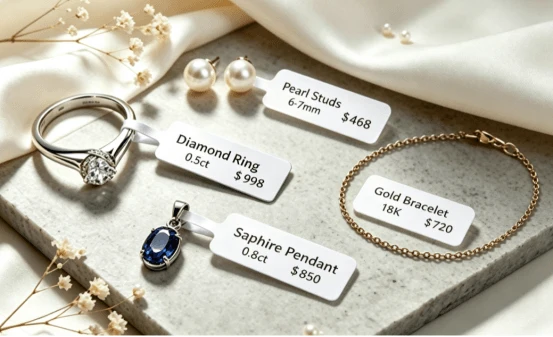
Can a 1 x 0.5 Thermal Label Be Used for Jewelry and Tiny Parts
A 1 x 0.5 inch direct thermal label can identify a tiny item only when the printed content is extremely limited. It is usually better for a short code, price, or controlled abbreviation than for a full product name plus a dense barcode. The label may be attached to a small bag, a display card, or a parts container rather than directly to the item. Before adopting this size, decide whether the main task is human identification, scanning, or price marking; the answer determines whether the format is workable.
Begin with the surface and handling method
Jewelry and small components often have irregular shapes or finishes that are not suitable for a paper label. Adhesive may leave residue, a label may cover a hallmark or serial mark, and a curved surface can distort a barcode. Test on the actual packaging first. A small clear bag or card can provide a flatter, more stable label surface. If staff open and reseal the package repeatedly, decide whether the label should remain on the outer packaging or move with the item.
The 1 x 0.5 direct thermal labels format is very compact. Check the exact roll configuration and printer support before buying. Some printers and software templates do not handle very short labels as reliably as larger stock. Test feeding, sensing, and registration through a full roll segment rather than trusting a single successful print.
For products that will sit in a shop window or bright warehouse for a long time, direct thermal media may not be the best permanent identifier. Heat and light can change the image. Define the required life of the label, then test the media for that period under realistic conditions. A short-lived pick label and a long-lived retail tag may need different materials.
Limit the content to one primary identifier
On a half-inch-high label, every additional line forces smaller type. Choose one value that connects to the product record, such as a SKU, bin ID, or price code. If employees must verify a size or metal type at a glance, include only the shortest controlled abbreviation that prevents a mistake. Do not let individual workers create their own shorthand. A central abbreviation list avoids two products being labeled with the same ambiguous text.
If a barcode is required, check the actual scanner’s minimum symbol size. A one-inch width may be too narrow for a long Code 128 value, and a very small QR code can fail when printed at insufficient resolution. Use a short internal key where possible. Keep the barcode’s quiet zone clear and avoid placing text or a border close to it. If the code cannot be printed at a scannable size, use a larger label on the outer package rather than forcing it onto the tiny item.
Consider whether a barcode is necessary at the individual-item level. In some workflows, a labeled tray or bag is enough until final packing. In others, high-value items must be identified individually at every transfer. The correct choice depends on how often items are separated, counted, or returned, not simply on how small the product is.
Build and test the template at physical size
Set the template to exactly 1 by 0.5 inches and disable scaling in the print dialog. Use a simple typeface with clear distinctions between similar characters. Avoid hairline fonts, decorative elements, and full borders. The printed result should be legible under normal counter or workbench lighting, not only through a magnified preview. Test the longest permitted SKU and any character combinations that may blur together.
Print a sequence of labels with different data. A tiny label can expose small printer-calibration problems: one millimeter of drift may cut off a character or barcode quiet zone. If the output shifts, inspect the roll guides and media sensing. Do not edit the artwork to compensate for a mechanical feeding error. Keep a known-good sample and compare it whenever a new roll or workstation is introduced.
Ask an employee who did not design the template to use it in a realistic task. Can they identify the item quickly? Can they scan it while wearing gloves if gloves are used? Can they distinguish two similar products without opening the system first? If not, increase the label size or move more information to a larger package tag.
Apply and replace labels consistently
Clean and dry the chosen package surface before application. Press the full label down, especially at the corners. Do not wrap a tiny barcode around an edge; even a small curve can make the symbol harder to decode. Avoid placing the label over a bag seam, a transparent fold, or an area that rubs against other items in a tray.
When a price or status changes, replace the old label completely. Two overlapping tiny labels can leave both codes partly visible, confusing staff and scanners. Define who may relabel an item and how the old value is invalidated in the inventory system. For jewelry, confirm that any tag or adhesive method is compatible with the product finish and store policy.
Inspect a sample of labels after normal handling. If the print fades, test environmental exposure. If the label peels, examine surface preparation and material compatibility. If scans fail only after application, the problem is probably placement or curvature rather than the printer. Broader direct thermal labels options may include a better size for the package or display system.
The deciding question is not whether a 1 x 0.5 label can hold visible text in a design program. It is whether staff can read or scan it reliably at the moment they need to act, and whether it remains attached for the required period. If the answer is no, a slightly larger label is usually a cheaper fix than repeated misidentification.
Before a full rollout, measure the time needed to identify a sample of items with and without the proposed label. Count errors as well as seconds saved. A tiny label that makes an employee consult the system twice can be slower than a larger, clearer tag. Include products with similar names and finishes in the test because those are the cases most likely to expose a weak abbreviation or an unreadable character.